 Volume Key
Floating volume keys for Android
A spare volume key, right on screen.
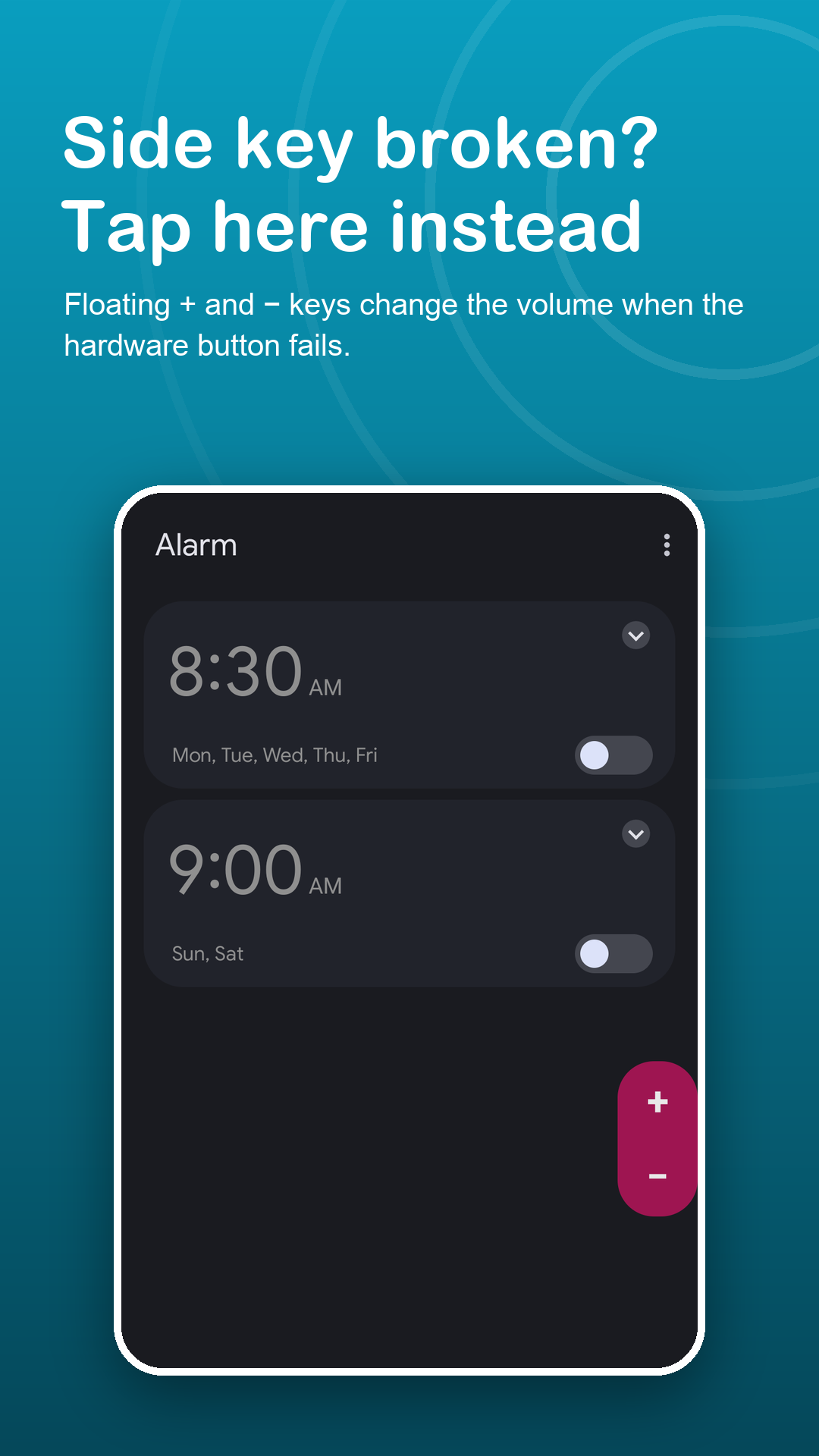
When the side rocker is cracked, sticky or covered by a case, two floating keys take over. They change the same levels, one step per tap.
Free · Android 7.0+ · no accessibility service
Screenshots
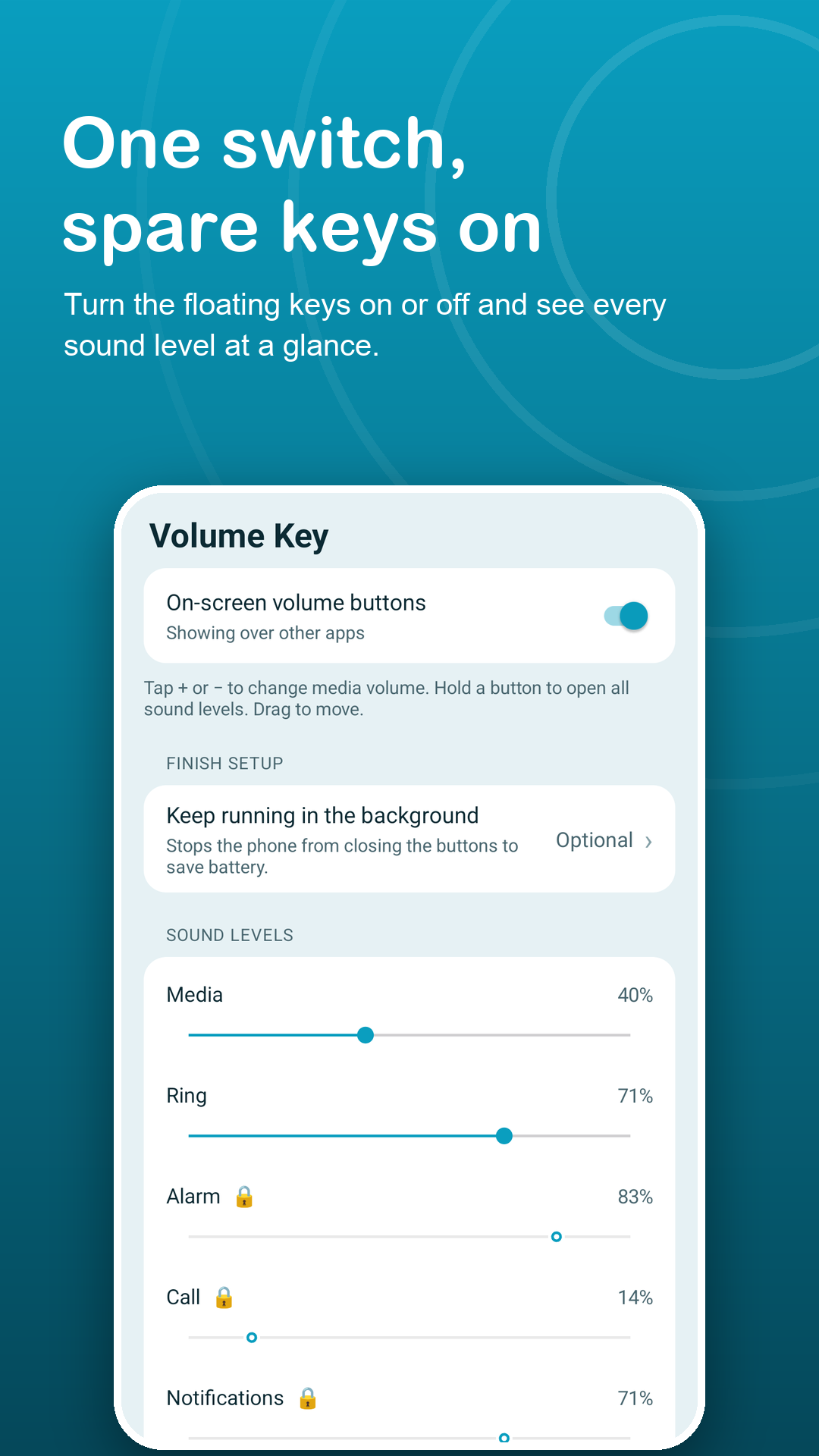
Two keys that stand in for the side button.
How it works
Working volume keys in three steps.
Turn the keys on
Grant Display over other apps and a slim bar with + and − appears on the edge of the screen.
Tap to step the volume
Each tap moves media volume one step, like the side key. Drag the bar anywhere; the spot is saved, even after rotating.
Long-press for more
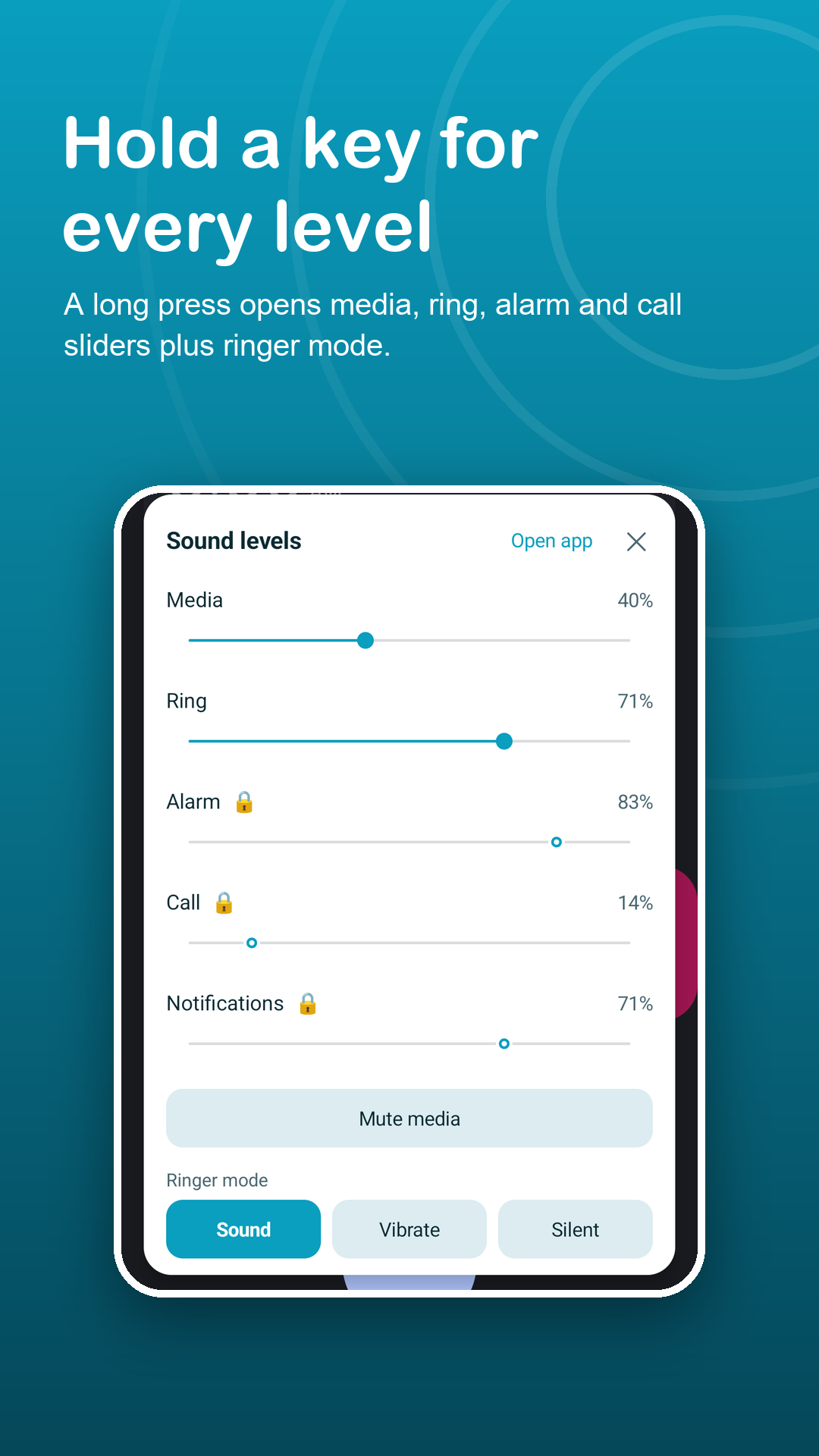
Hold + or − to open the sound panel with sliders, media mute and Sound, Vibrate or Silent.
Features
Rest the broken key. Use these instead.
Keys that fit your screen
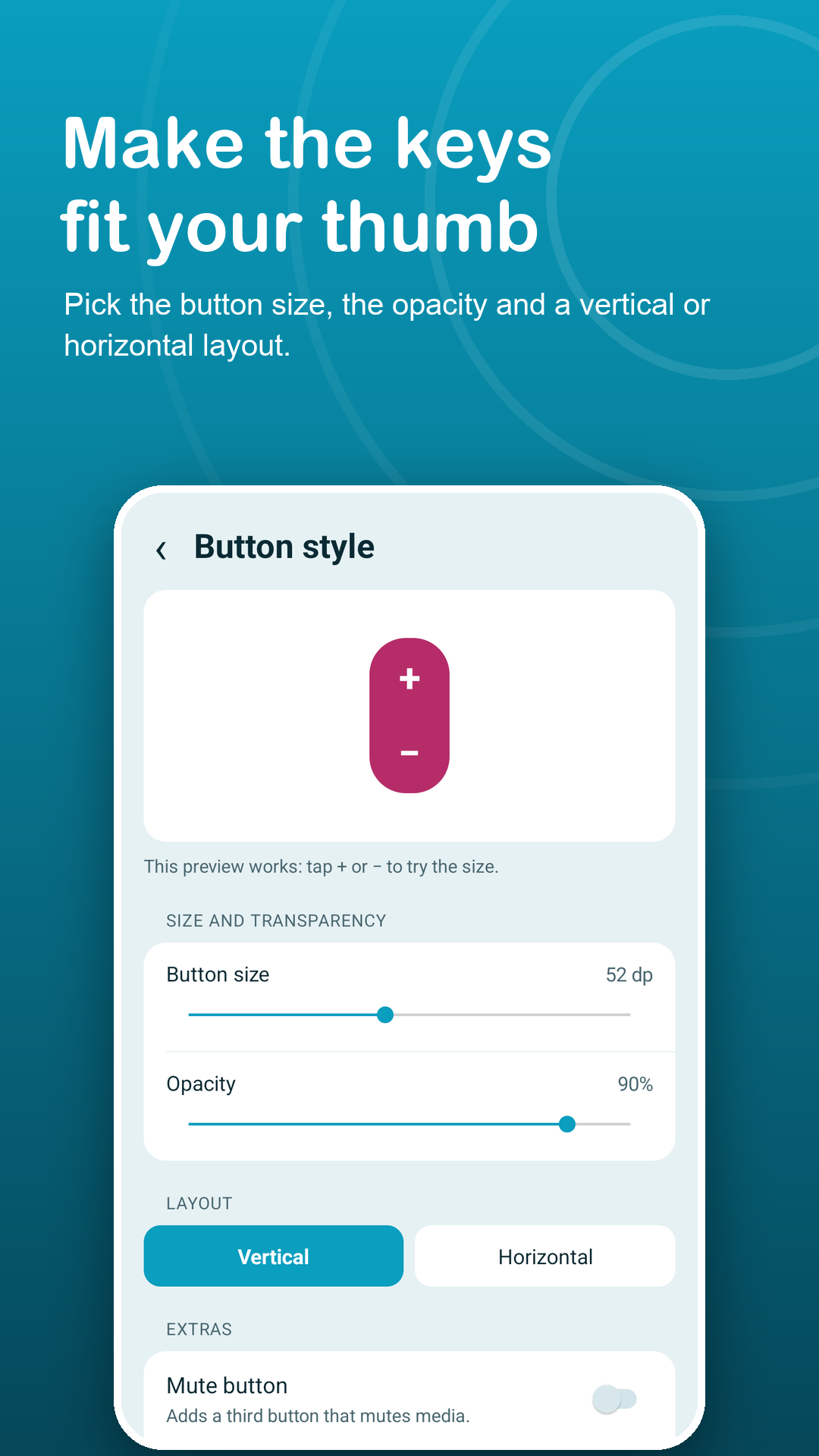
Pick the button size and opacity, a vertical or horizontal layout, and an optional third key for mute. Only the keys take up space.
The sound panel
Media and ring sliders, media mute and ringer mode are free. Premium adds alarm, call and notification sliders.
Moves aside on its own
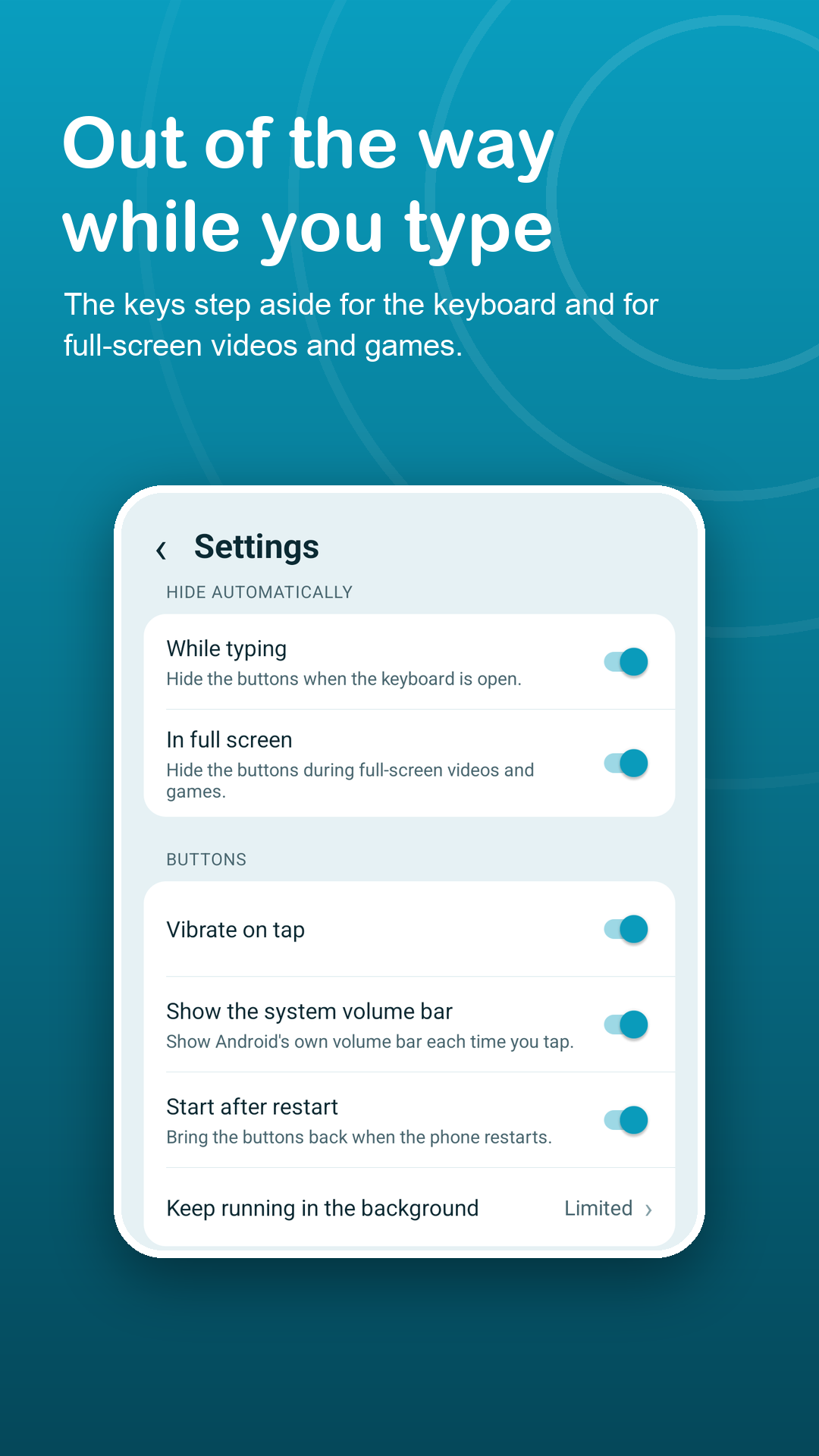
The keys step away from the keyboard and hide in full-screen video and games, then return. Either behavior can be turned off.
Shortcuts outside the app
A notification with −, + and Show/Hide, a Quick Settings tile and a home-screen widget for media volume.
Ready after a reboot
Let the keys start again by themselves after the phone restarts, or turn that off.
A stand-in, not a repair
The keys replace a faulty button on screen. They do not fix the hardware and do not push the speaker past the system maximum.
Privacy
Volume up, volume down. Nothing else.
No accessibility service, no account, and the app never reads your screen. Do Not Disturb access is requested only if you pick Silent, because Android treats Silent as a Do Not Disturb change. Read the privacy policy.
FAQ
Fair questions.
My side volume key is broken. Will this repair it?
No, it works around it. You get on-screen keys that change the same levels, so the phone stays usable until the key is repaired.
Can it make the speaker louder?
No. It uses the same system volume levels as the side keys and cannot go above the maximum.
Why does Silent ask for Do Not Disturb access?
Android treats Silent as a Do Not Disturb change, so the app asks only when you pick Silent. Sound and Vibrate work without it.
Why do the keys vanish on some screens?
Android hides floating buttons on some system screens, such as permission prompts. The keys also step aside for the keyboard and full-screen video unless you turn that off.
Does it use the Accessibility API?
No. The keys are drawn with the Display over other apps permission.
What does Premium add?
No ads, alarm, call and notification sliders, and six extra colors including a see-through Glass style. The keys, mute, media and ring sliders, ringer mode, auto-hide, notification, tile and widget are free with no time limit.